
iPhone · Apple Watch
tuu DIT Companion
Free DIT tools for the set, in your pocket: data rates, storage, timecode, exposure, a light meter, depth of field and the sun's path over the live camera image. All of them work offline, need no account and cost nothing. And if you offload cards with tuu on your Mac or PC, the same app shows every card live on your iPhone and Apple Watch.
FreeEvery tool, for everyone SubscriptionLive cards from tuu on your computer
Coming to the App Store.

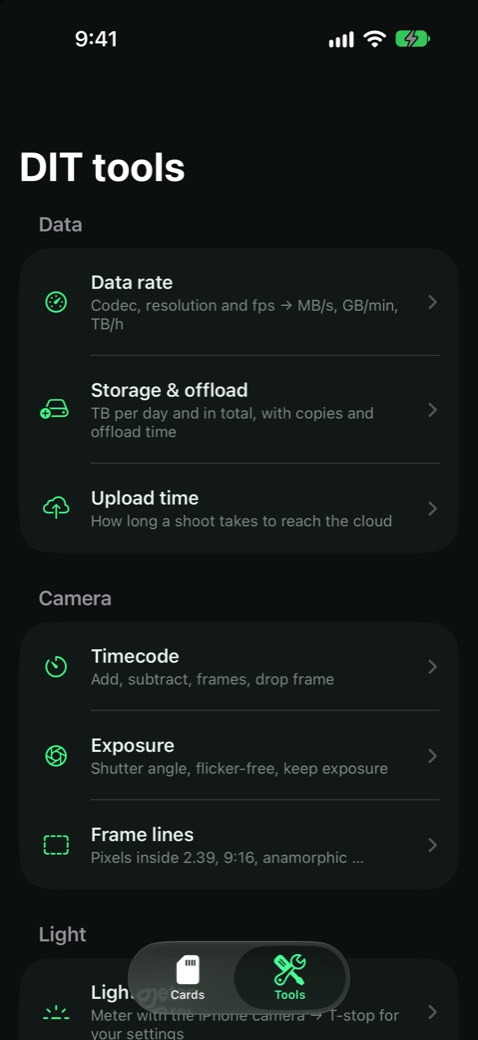
DataPlan drives before the first card arrives
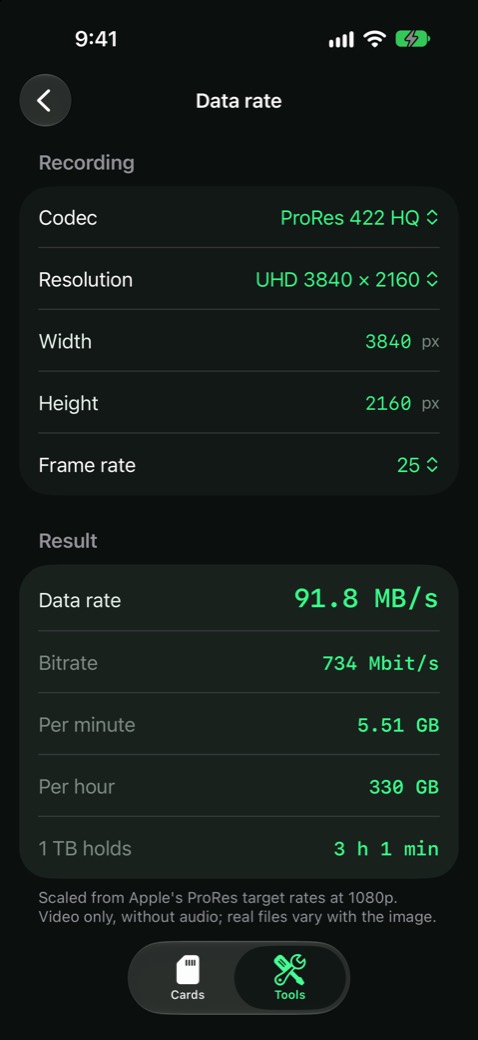
Data rate
Pick a codec, resolution and frame rate and see MB/s, Mbit/s, GB per minute, TB per hour and how long 1 TB lasts.
ProRes 422 Proxy to 4444 XQ are scaled from Apple's published target rates. Uncompressed raw is photosites × bit depth × fps; compressed raw divides that by the ratio (2:1 to 18:1). For H.264, H.265, XAVC and similar, type the bitrate from the camera menu.
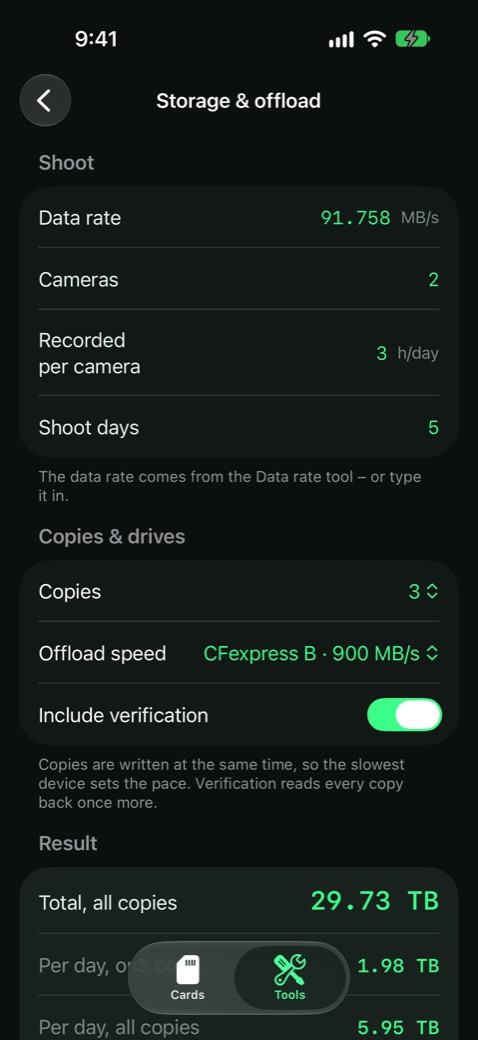
Storage & offload
Cameras, hours recorded per day and shoot days give you TB per day and for the whole shoot – for one copy and for all copies.
Offload time uses the slowest device in the chain (card reader, SSD, HDD or Thunderbolt NVMe), because copies are written at the same time. With verification on, every copy is read back once more – just like tuu does.
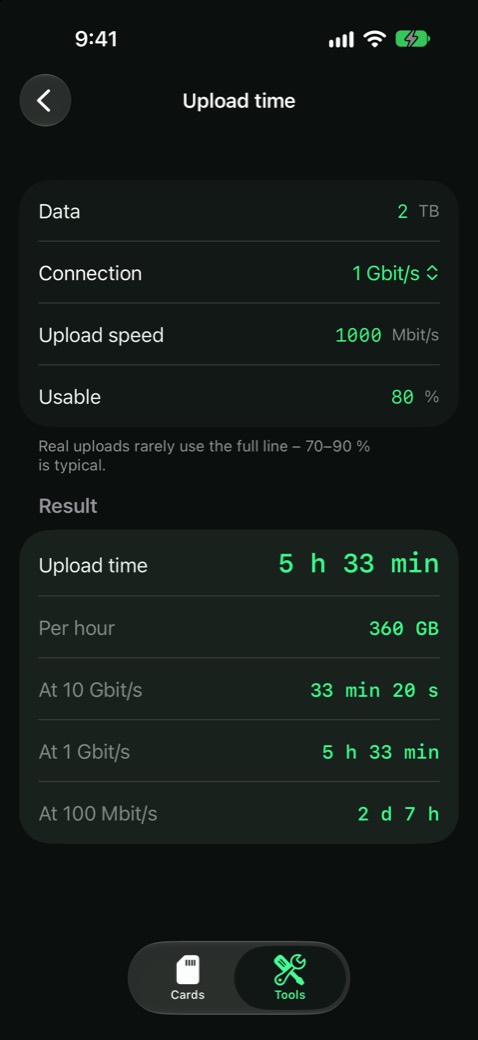
Upload time
How long a day's footage takes to reach the cloud at 20 Mbit/s up to 10 Gbit/s, with a side-by-side for 10 Gbit/s, 1 Gbit/s and 100 Mbit/s.
Real uploads rarely use the whole line, so you set how much is usable (70–90 % is typical).
CameraNumbers you need at the monitor
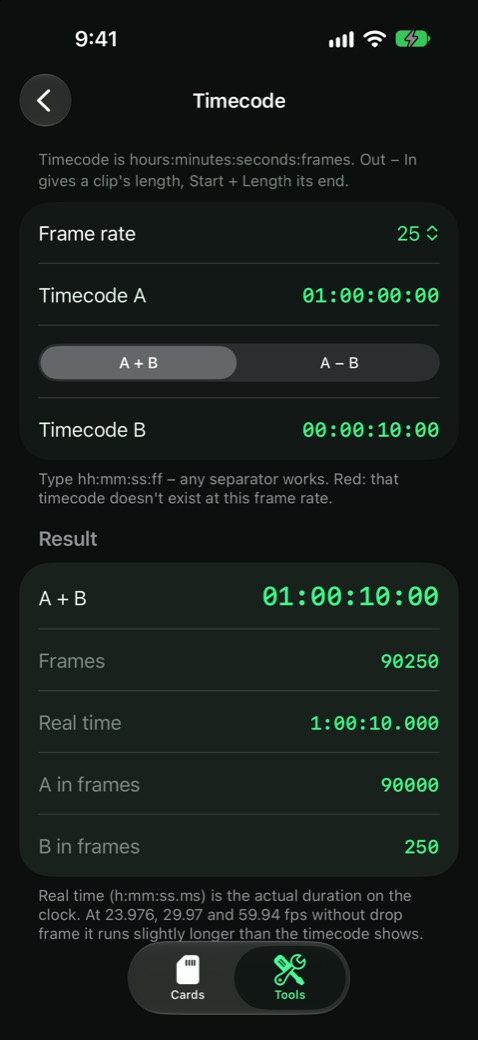
Timecode
Add and subtract timecodes, convert to frames and see the real running time – at 23.976, 24, 25, 29.97, 30, 48, 50, 59.94 and 60 fps.
Drop frame at 29.97 and 59.94 is handled correctly: frame numbers that don't exist in drop frame are flagged, so you can't type a timecode no camera would show.
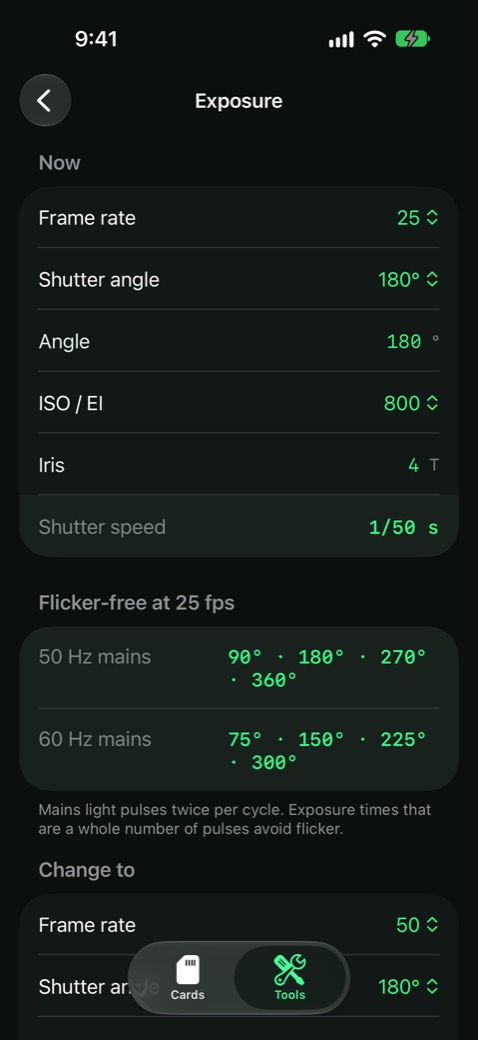
Exposure
Shutter angle ⇄ shutter speed, flicker-free angles for 50 Hz and 60 Hz mains at your frame rate, and how many stops you gain or lose when fps, angle or ISO change.
The planner tells you the new T-stop, or how much ND to pull or add, to keep exposure the same – handy before a high-speed shot.
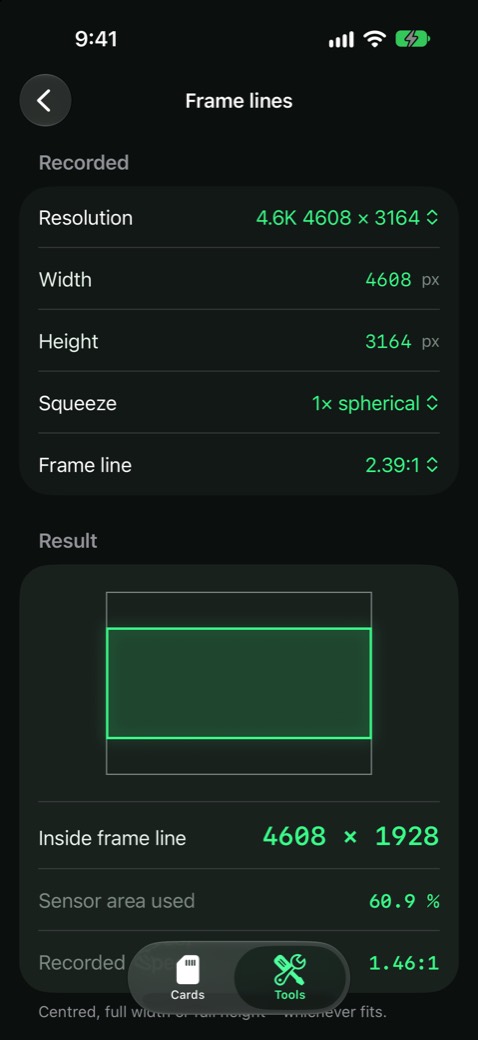
Frame lines
How many recorded pixels sit inside a frame line – 2.39, 2.00, 1.85, 16:9, 1.66, 4:3, 1:1, 4:5 or 9:16 – from any recording resolution.
Works for spherical and anamorphic lenses (1.3× to 2×): shows the area used, the desqueezed size and a sketch of the frame line on the sensor.
LightFor the camera team and the photographer on set
Light meter
Point the iPhone camera at the scene and get the T-stop for your frame rate, shutter angle and ISO, plus the light value and the shutter speed at f/8 for stills.
It reads reflected light like a camera does, metering the centre of the image. Phones aren't calibrated meters, so you compare once with your camera and set the difference as an offset. Freeze holds the reading while you lower the phone.
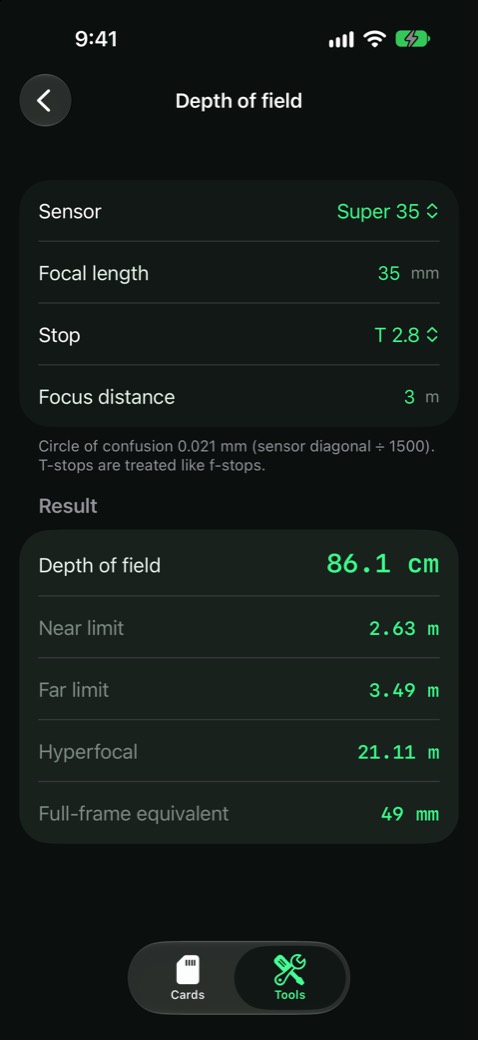
Depth of field
Near and far limit of focus, total depth of field and hyperfocal distance for Super 16 up to medium format, plus the full-frame equivalent focal length.
The circle of confusion follows the sensor size (diagonal ÷ 1500). T-stops are treated like f-stops – close enough on set.
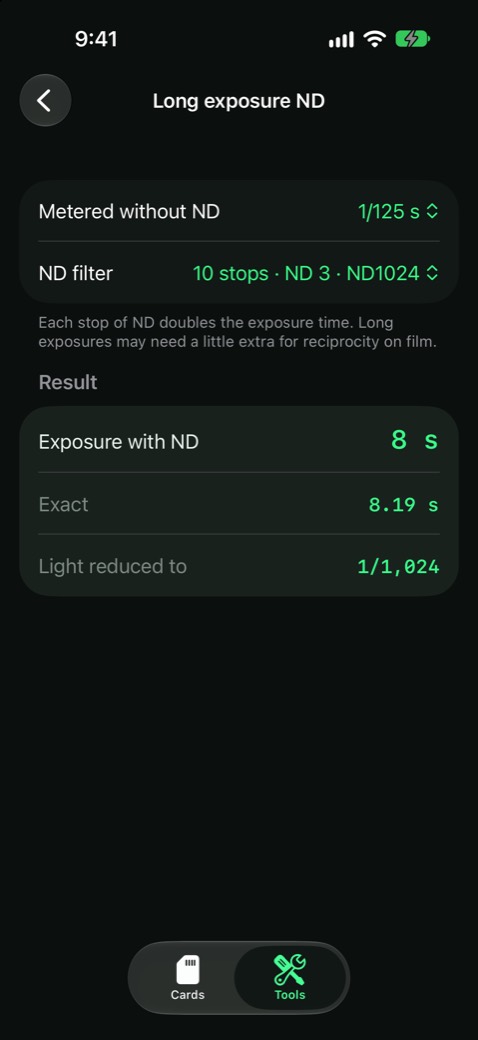
Long exposure ND
Metered shutter speed plus an ND filter from 1 to 20 stops gives the new exposure time, with the filter's density and factor (ND 3.0, ND1000 …).
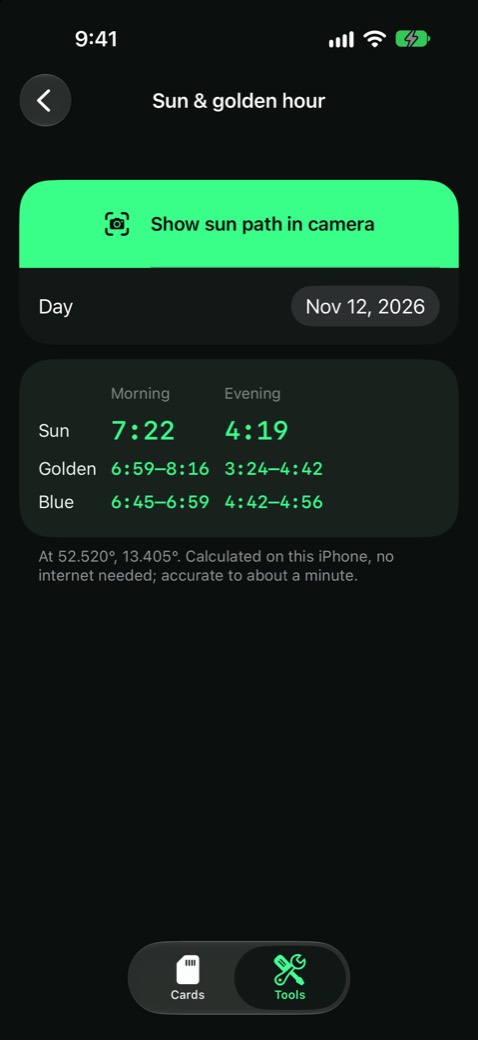
Sun & golden hour
Sunrise, sunset, golden hour and blue hour for any day at your location – and the sun's path for that day, drawn over the live camera image.
Move the iPhone around: the compass and motion sensors keep the path, the hour marks, the horizon and the sun's current position in place, so you can see where the light will be at 4 pm before you set up. Calculated on the iPhone; your location never leaves it.
The sun's path, over the cameraKnow where the light will be before you set up
Tap “Show sun path in camera” and look around. The green line is the sun's path for the chosen day, the dots mark every full hour, the dashed line is the horizon and a yellow disc shows where the sun is right now. Compass and motion sensors keep everything in place as you move the iPhone – upright or sideways.
Recorded in the iOS Simulator with a simulated sky; on your iPhone you see the live camera image.
On set
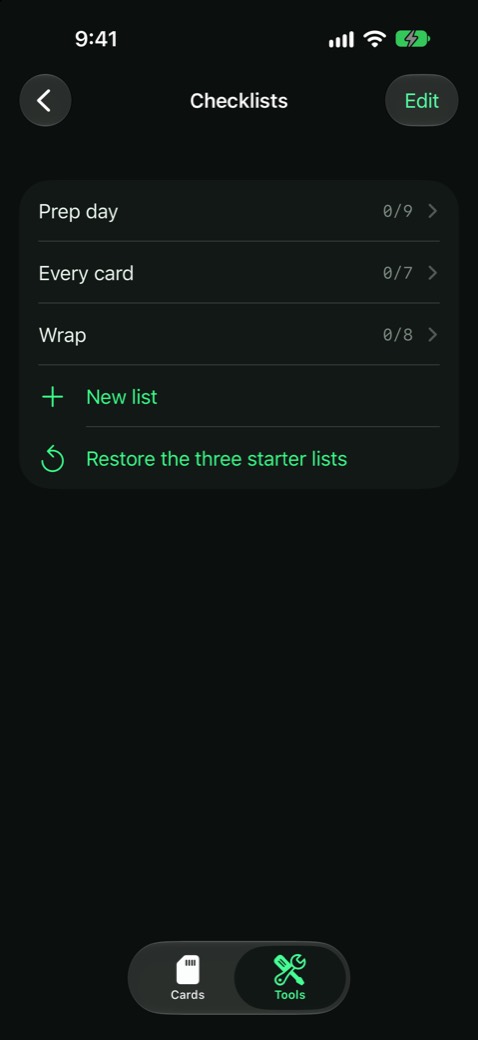
Checklists
Three starter lists – prep day, every card, wrap – that you can edit, reorder and extend, or make your own. Tick items off, then reset for the next day.
Coffee break: tuu runA tiny 8-bit jump and run, landscape only
The little t from the tuu logo has five cards to bring to the drive. Collect all data (#) – it makes you big, so one hit only shrinks you. Jump over the flying pixels or land on them to pop them. With an 8-bit soundtrack, of course. You'll find it at the end of the Tools tab, under “Break”.
Live cards from tuu on your computerIncluded with the tuu subscription
With a tuu subscription (and during the 14-day trial), the Cards tab connects to tuu on your Mac or Windows PC:
- Every card, live. Camera operator, card number and progress for every card on every paired computer – two DIT carts on the same shoot included.
- The same green as on the computer. A card turns green only when every copy has been read back from each drive and verified by checksum.
- Notifications. When a card is verified, or when something needs you: an unknown camera, a checksum mismatch, a sync conflict. Also on Apple Watch.
- Pair by QR code. In tuu on your computer: Settings › iPhone & Apple Watch › Pair iPhone, then scan the code. No account.
- Private. Card progress is end-to-end encrypted between your computer and your iPhone. Our relay only passes on data it can't read.
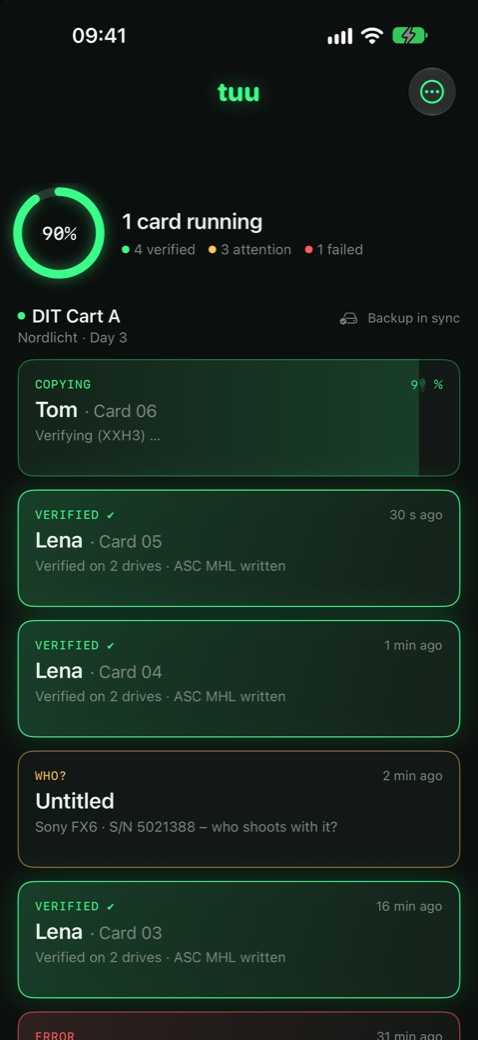
No paired computer yet? The Cards tab has a demo with sample data, so you can see how it works first.
Privacy
No account, no ads, no tracking. The tools and your checklists stay on your iPhone. The camera is used for the light meter, the sun path and scanning the pairing code; your location only to calculate sun times on the device. Details: privacy policy.
Try tuu free for 14 daysThe app on the start page
tuu DIT Companion needs iOS 17 or later; the Apple Watch app watchOS 10 or later. Results are estimates – always check against your camera and drives. tuu is not affiliated with Netflix or the ASC. Questions: support@tuuapp.de.